Voice-To-Text Python Program
Voice-To-Text Python Program
After posting my first documented Python program, I got to work on a more advanced project to challenge myself.
This program is much more complex than my first publication but easy enough for casual/beginner programmers to grasp(with a bit of homework anyway).
I would like to update this program and build a more sophisticated version as I continue to progress in my education. Some sort of perpetual project, proving my Python proficiency(what an alliteration!), so expect to see this pop up several times on my feed over time. Enjoy!
PROJECT DESCRIPTION(Voice-To-Text program):
In this project, I developed a program that records a user’s voice, and scribes the collated audio that the user can read.
PROCESS:
STEP 1(Prebuild):
- ) In order to complete this project, one must first download and set up an IDE. I would recommend either:
or
***I used Visual Studio Code for this specific build as it seemed to be compatible with my program, whereas PyCharm wasn’t. Though, I believe PyCharm would yield similar results on a different system/ some troubleshooting.***
2.) Next, sign up for GitHub.
STEP 2(Project Build):
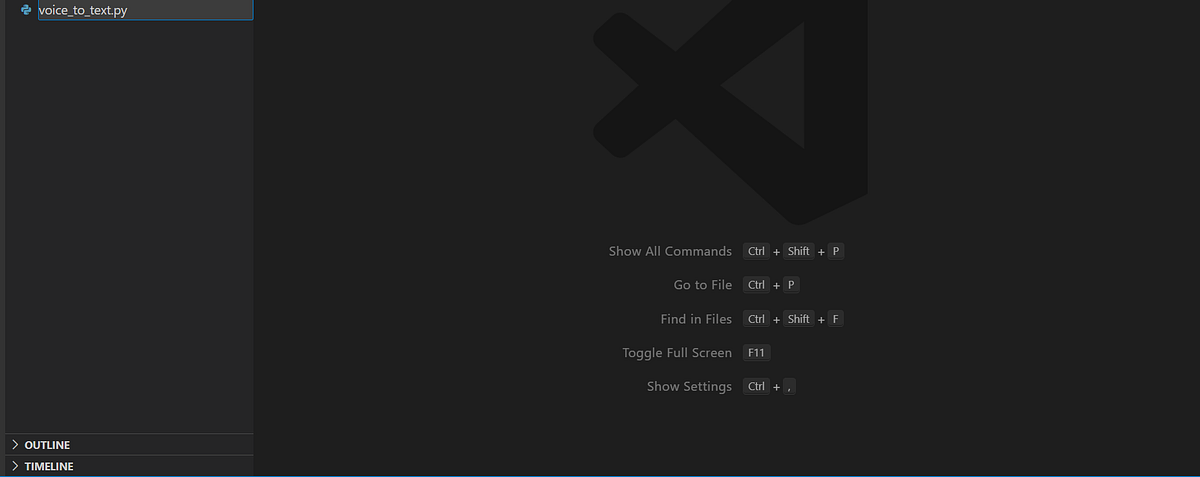
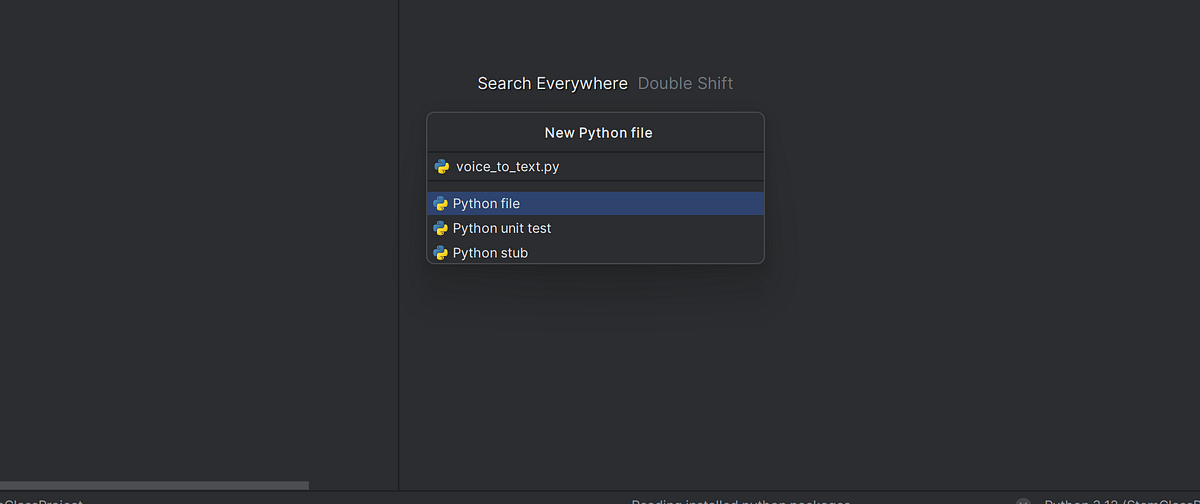
1.) Create a new python file in an IDE and name it. Ex: voice_to_text.py
2.) To start programming, one must import several libraries, modules, and files that will enable us to use the program:
import speech_recognition as sr
import sounddevice as sd
import numpy as np
import scipy.io.wavfile as wav
All of these require installations beforehand, so here are links to how these can be done:
- import speech_recognition(Speech Recognition in Python using Google Speech API — GeeksforGeeks): This is used for recognizing, converting, and processing speech; It is what enables the program to gather speech/audio, then convert it to text. It is aliased as ‘sr’
- import sounddevice(Installation — python-sounddevice, version 0.3.14): This is used to gather the speech/audio, as well as play it back. It is aliased as ‘sd’
- import numpy as np(NumPy — Installing NumPy):This is a numerical computing library used for data science; here it’s used to process and manipulate the data.
- import scipy.io.wavfile as wav(SciPy — Installation): Used to process WAV files(uncompressed audio) which we are using in this program.
3.) Declare a few global variables:
FILENAME_FROM_MIC = "RECORDING.WAV"
VOICE_TEXT_FILENAME = "VOICE_AS_TEXT.txt"
r = sr.Recognizer()- Line 1 names a file called “RECORDING.WAV” where the audio from the microphone will be gathered.
- The next line is what the file that the audio is transcribed to is called.
- The last line creates an instance of the “Recognizer” class from the speech recognition library.
4.) Create a function that will convert the gathered audio to text:
def recognize_from_file(filename):
    with sr.AudioFile(filename) as source:
        audio_data = r.record(source)
        text = r.recognize_google(audio_data)
return text- Create a function(ex: “recognize_from_file”) and give it a parameter(“filename”).
- Line 2 is using a context manager(“AudioFile”) within the SpeechRecognition library to store “filename” in an audio file called “source”.
- Line 3 creates a variable called “audio_data” and uses the record function in SpeechRecognition to capture an audio clip.
- In line 4, another variable, “text”, is created and given a value; The code uses Google’s Web Speech API within SpeechRecognition and transcribes the audio to text.
- Line 5 then returns this transcribed audio.
5.) Next, write a function that determines how the audio will be recorded:
def recognize_from_microphone(file_to_write):
    SAMPLE_RATE = 44100
    duration = 5
    audio_recording = sd.rec(duration * SAMPLE_RATE, samplerate=SAMPLE_RATE, channels=1, dtype='int32')
    print("Recording Audio")
    sd.wait()
    print("Audio recording complete , Play Audio")
    sd.play(audio_recording, SAMPLE_RATE)
    sd.wait()
    print("Play Audio Complete")
wav.write(file_to_write, SAMPLE_RATE, audio_recording)- Line 1 sets the function name as “recognize_from_microphone” and it has a parameter called “file_to _write”.
- The next 2 lines set the sample rate of the audio to 44.1kHz, and the duration of the clip to 5 seconds.
- Line 4 stores the values of “sd.rec()” in variable “audio_recording”; The parameters of the function “sd.rec()”:
— duration * SAMPLE_RATE: the duration is 5 seconds, SAMPLE_RATE is 44100 Hz, so, this specifies that the program should record at a frequency of 44.1kHz for 5 seconds.
— samplerate = SAMPLERATE: lets us know that the sample rate set in the code is the should be the same variable as the SAMPLERATE in sr library, however, it’s not necessarily the default sample rate set by the sr library.
— channels = 1: specifies that the recorded audio is mono; it only records one stream of audio(from one microphone)
— dtype = ‘int 32’: a more technical aspect of the sr recognition library, it specifies the audio sample will be represented as a 32-bit integer.
- Lines 5–10:
— prints the phrase “Recording audio”.
— makes sure “sd.rec()”(on line 4) finishes executing before proceeding to the next block of code.
— prints the phrase “Audio recording complete , Play Audio”.
— converts the raw, gathered audio, then plays it back into recognizable sound in the specified audio settings on line 4.
— makes sure the previous method(“sd.play()”) finishes executing before moving on to the next line.
— prints the phrase “Play Audio Complete”, notifying the user that the recorded audio is done playing.
— line 10 uses the “wav.write” function from scipy.io.wavfile to save the audio as a WAV file. It possesses three arguments: file_to_write(the filename of where the audio will be saved), SAMPLE_RATE(the sample rate of the audio), audio_recording(the NumPy array that stores the sound by gathering audio samples).
6.) Create a function that will help write down the text gathered from the audio recording to a different file:
def save_text_to_file(text, filename):
    with open(filename, 'w') as f:
f.write(text)- The function name is called “save_text_to_file” in line 1 and has two parameters called “text” and “filename”.
- The second line opens the file, using the open function, in which the text is transcribed(or overwritten if the file already exists) using ‘w’(write mode). This action is represented as “f”.
- Line 3 writes the text onto the file.
7.) The last part of the code will make finalize how the program will be executed.
if __name__ == "__main__":
    recognize_from_microphone(FILENAME_FROM_MIC)
    text_from_voice = recognize_from_file(FILENAME_FROM_MIC)
    save_text_to_file(text_from_voice, VOICE_TEXT_FILENAME)
- This last block is where the main execution of the program happens.
- The first line tells Python to go about running the program only if it is being run directly (will not run if imported as a module).
- The next line calls the function that records the audio, and saves the 5 second clip as “Recording.wav” as specified by “FILENAME_FROM_MIC”.
- Line 3 calls the recognize_from_file function, and stores it in variable “text_from_voice”. (Reminder: this function is what transcribes the recorded audio to text).
- The last line of the code calls on the save_text_to_file function. The parameters specify that the transcribed text is set to “text_from_voice” and that it will be saved in “VOICE_TEXT_FILENAME”(aka “VOICE_AS_TEXT.TXT”).
8.) The entire code should resemble something like this.
import speech_recognition as sr
import sounddevice as sd
import numpy as np
import scipy.io.wavfile as wav

FILENAME_FROM_MIC = "RECORDING.WAV"
VOICE_TEXT_FILENAME = "VOICE_AS_TEXT.txt"

# initialize the recognizer
r = sr.Recognizer()

def recognize_from_file(filename):
    # open the file
    with sr.AudioFile(filename) as source:
        # listen for the data (load audio to memory)
        audio_data = r.record(source)
        # recognize (convert from speech to text)
        text = r.recognize_google(audio_data)
        return text

def recognize_from_microphone(file_to_write):
    SAMPLE_RATE = 44100
    duration = 5  # seconds
    audio_recording = sd.rec(duration * SAMPLE_RATE, samplerate=SAMPLE_RATE, channels=1, dtype='int32')
    print("Recording Audio")
    sd.wait()
    print("Audio recording complete , Play Audio")
    sd.play(audio_recording, SAMPLE_RATE)
    sd.wait()
    print("Play Audio Complete")
    wav.write(file_to_write, SAMPLE_RATE, audio_recording)

def save_text_to_file(text, filename):
    with open(filename, 'w') as f:
        f.write(text)


if __name__ == "__main__":
    #print(recognize_from_file(test_filenmae))
    recognize_from_microphone(FILENAME_FROM_MIC)
    text_from_voice = recognize_from_file(FILENAME_FROM_MIC)
    save_text_to_file(text_from_voice, VOICE_TEXT_FILENAME)
STEP 3(Publish):
After completing my code, I then publish it to my various platforms: GitHub, LinkedIn, Medium, Blogger, etc.
Check out my pages:
God bless you all!

Comments
Post a Comment