My First Python Project Documentation
My First Python Project Documentation
As an aspiring mechatronics engineer familiarizing myself with the world of tech and programming at a young age, I am making use of every opportunity currently available to me, one of those being able to learn Python.
In order to broaden my skillset, I’m learning Python, and part of that process includes consistent project building and documentation. This is my first ever documentation of a Python project that I’ve built.
PROJECT DESCRIPTION(Guessing Game):
In this python project, I designed a code that gives the user a number of cities from around the world to guess from, and 3 tries to guess the randomly selected city.
PROCESS:
STEP 1(Prebuild):
- ) In order to complete this project, one must first download and set up an IDE. I would recommend either:
or
2.) Next, sign up for GitHub.
STEP 2(Project Build):
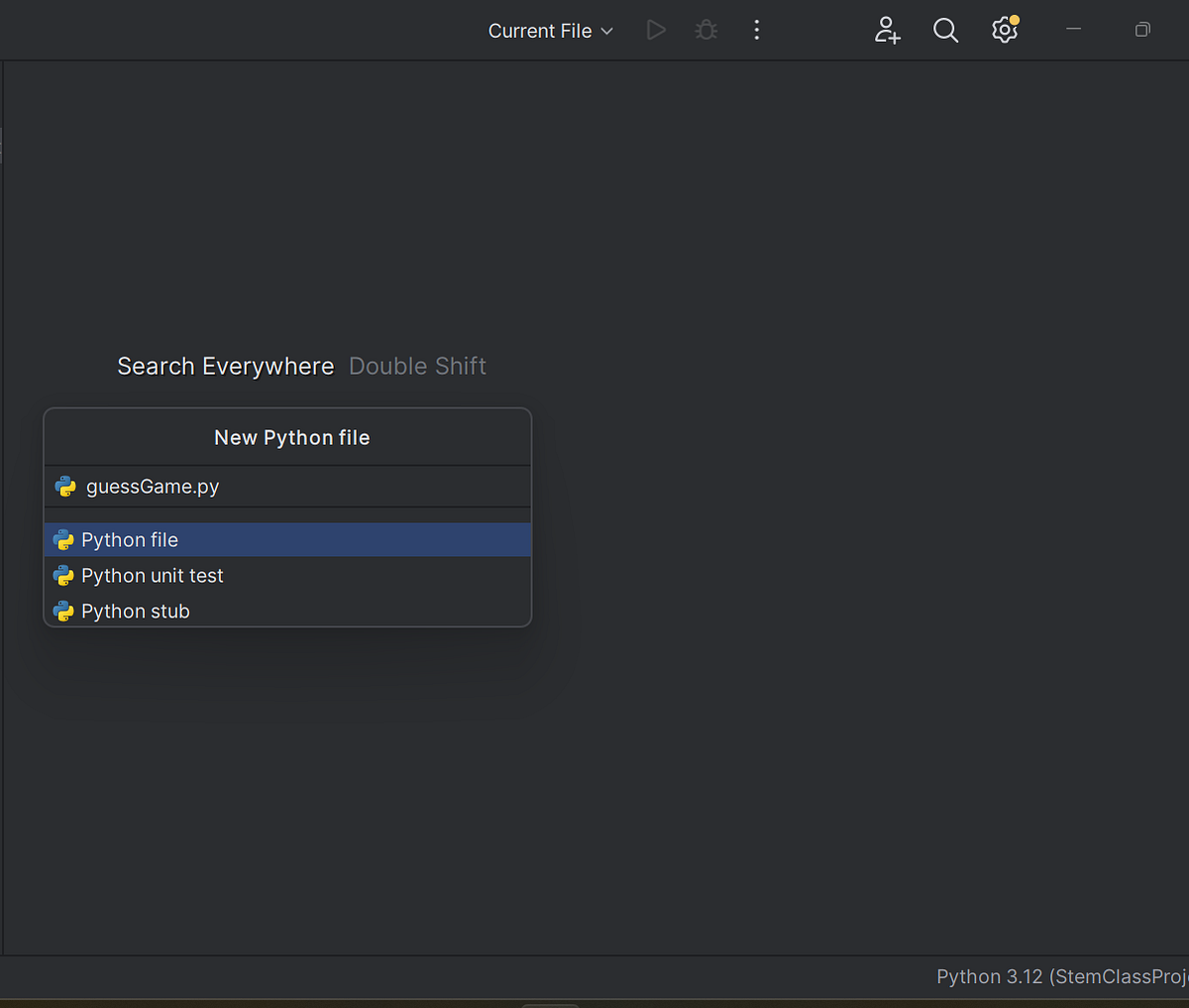
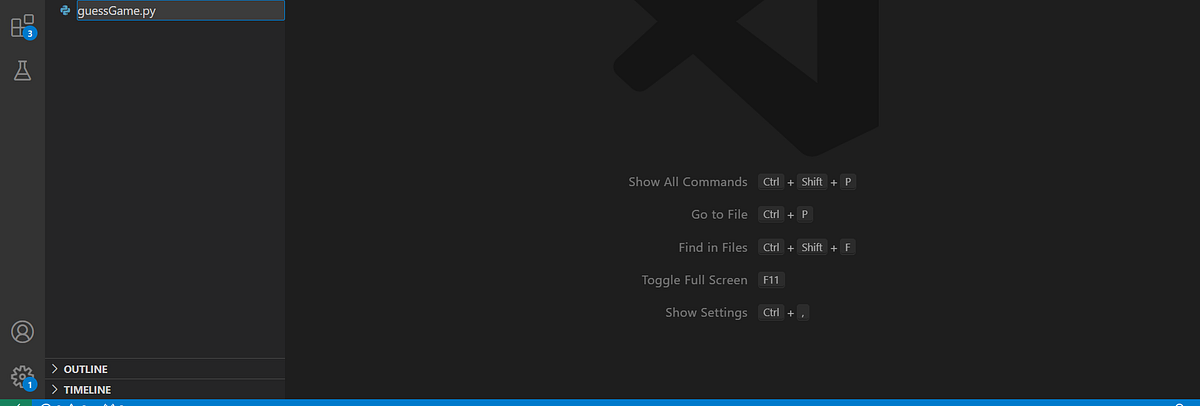
1.) Create a new python file in an IDE and name it. Ex: guessGame.py
2.) On line 1 of the project, import the “random” module. This is responsible for generating random numbers and performing operations that require a random function.
import random3.) Make a list called “cities”. In this list, write at least 10 cities, between quotations, separated by commas.
cities = ["Saskatoon", "Lagos", "Berlin", "London", "Calgary", "Montreal", "New York",
         "Abidjan", "Helsinki", "Vancouver", "Paris", "Vienna"]
4.) Next, write a code that will get the program to pick a random city from the options that are given, and set the number of available guesses to 0.
secret_city = random.choice(cities)
number_of_guesses = 0
5.) Underneath the previous 2 lines, write 2 output statements: One that tells the user what to do, and another that prints all cities the user can pick from.
print("Type a city from the given options. You have three guesses, good luck!")
print("Options:", cities)
6.) Now, write a while True loop with if/else statements. The while True will cause the program to run infinitely, until it is explicitly broken. In the while loop, create an input string “guess” that will record the user’s guesses. Additionally, write a statement that increases the number of guesses by 1 after each guess.
while True:
    guess = input("Type your guess: ")
    number_of_guesses += 1
7.) Write an if/else statement for three scenarios. Firstly, for when the secret city is guessed. Secondly, for when the user has exhausted all their guesses and is unable to guess the city. Lastly, for when the user enters an incorrect guess.
Scenario 1:
if guess == secret_city:
        print("Congratulations! You guessed the secret city in ", number_of_guesses, " guesses!")
        break
Scenario 2:
elif number_of_guesses == 3:
        print("You are out of guesses. The secret city was: ", secret_city, " .")
        break
Scenario 3: In this scenario, there is an extra conditional statement that shows a slightly different text depending on how many guesses the user has left:
else:
        if 1 <= number_of_guesses < 2:
            print("Sorry that is incorrect city. Please try again, you have", 3 - number_of_guesses, "guesses left.")
        else:
            print("Sorry that is incorrect city. Please try again, you have", 3 - number_of_guesses, "guess left.")
8.) Format and review the code for any bugs or errors. It should look something like this at the end:
import random
cities = ["Saskatoon", "Lagos", "Berlin", "London", "Calgary", "Montreal", "New York",
         "Abidjan", "Helsinki", "Vancouver", "Paris", "Vienna"]
secret_city = random.choice(cities)
number_of_guesses = 0
print("Type a city from the given options. You have three guesses, good luck!")
print("Options:", cities)
while True:
    guess = input("Type your guess: ")
    number_of_guesses += 1
    if guess == secret_city:
        print("Congratulations! You guessed the secret city in ", number_of_guesses, " guesses!")
        break
    elif number_of_guesses == 3:
        print("You are out of guesses. The secret city was: ", secret_city, " .")
        break
    else:
        if 1 <= number_of_guesses < 2:
            print("Sorry that is incorrect city. Please try again, you have", 3 - number_of_guesses, "guesses left.")
        else:
            print("Sorry that is incorrect city. Please try again, you have", 3 - number_of_guesses, "guess left.")
STEP 3(Publish):
After completing my code, I then publish it to my various platforms: GitHub, LinkedIn, Medium, Blogger, etc.
Check out my pages:
God bless you all!

Comments
Post a Comment